Project details live everywhere
Addresses, dates, files, notes, and report sections are split across different tools.
Envee builds custom tools for small environmental consulting firms. Records requests, field notes, project tracking, and report prep. Built around the way your team already works, without a bloated enterprise platform.
Start with the workflows you need most, then expand into one connected Envee workspace as your firm grows.
Spreadsheets, shared folders, email threads, and old templates can work for a while. Then projects pile up. Status gets buried. Records are hard to find. Follow-ups get missed. The work still gets done, but it takes more effort than it should.
Addresses, dates, files, notes, and report sections are split across different tools.
Agencies, contacts, deadlines, and follow-ups are difficult to manage in one place.
Notes, PDFs, request logs, and old templates still have to be rebuilt by hand.
Most project tools are not built for due diligence, fieldwork, records, and reporting.
Start with one workflow that slows the team down. Records requests. Report prep. Field notes. Client status. Then build a simple internal tool around that exact process.
Track agency contacts, request dates, statuses, reminders, received files, and missing items without digging through emails.
Give owners, project managers, and staff one clean place to see open projects, deadlines, tasks, files, and deliverables.
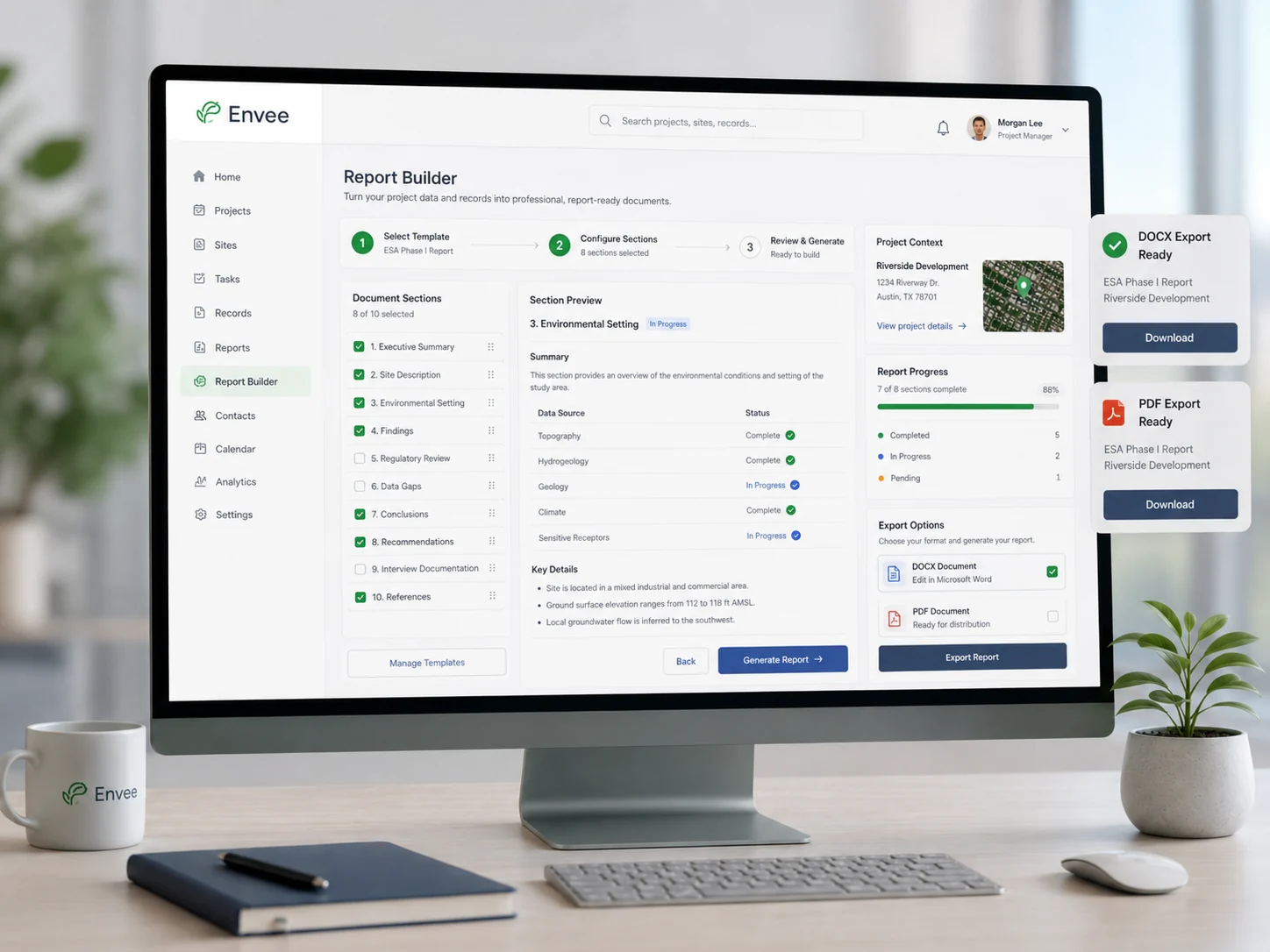
Turn project inputs into cleaner summaries, reusable templates, document exports, tables, and report-ready sections.
These are focused tools for the work small environmental firms actually do. Each one can start simple, prove useful, and expand later.
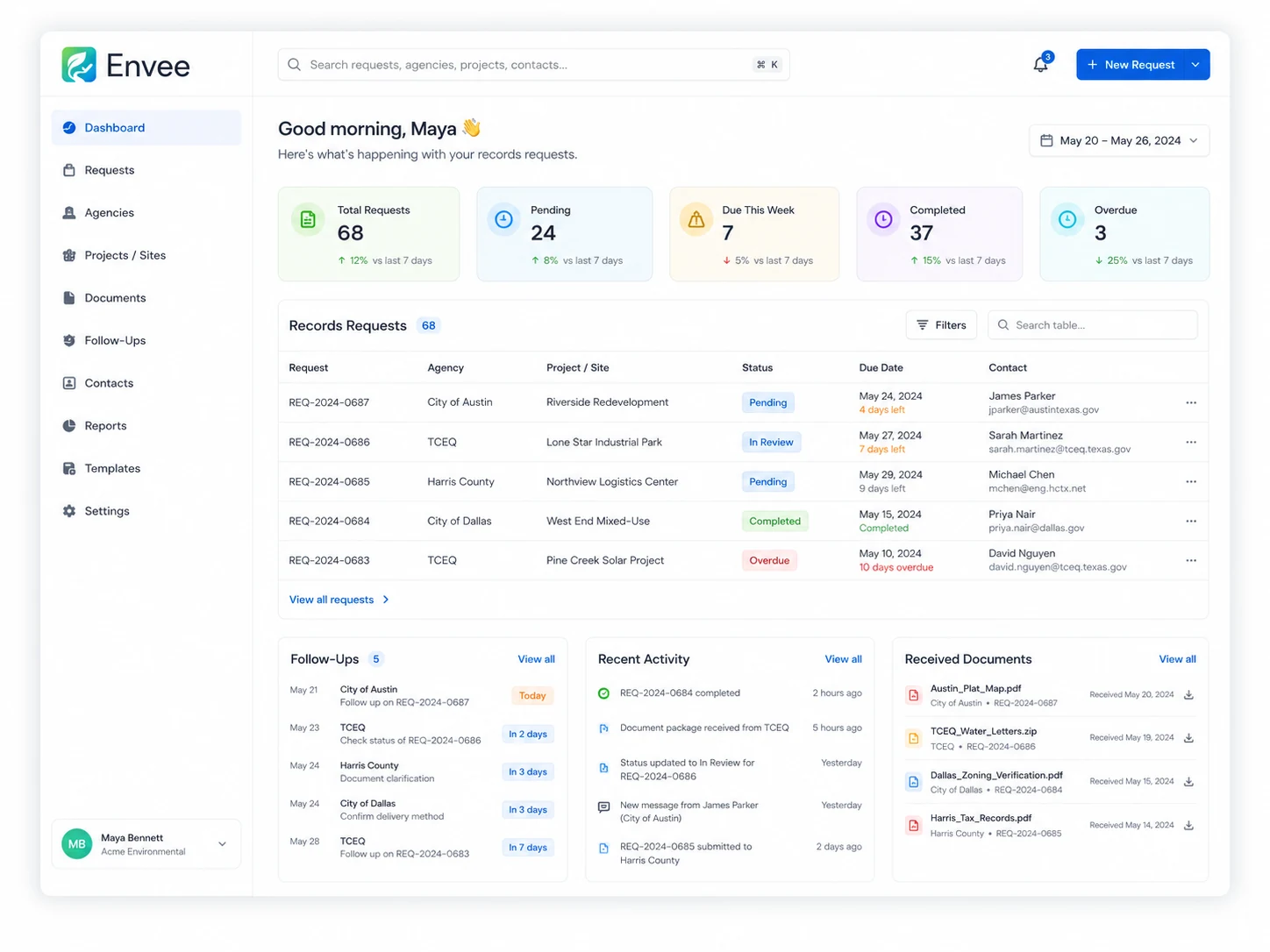
Best for firms that chase city, county, fire, building, zoning, and environmental records across multiple projects.
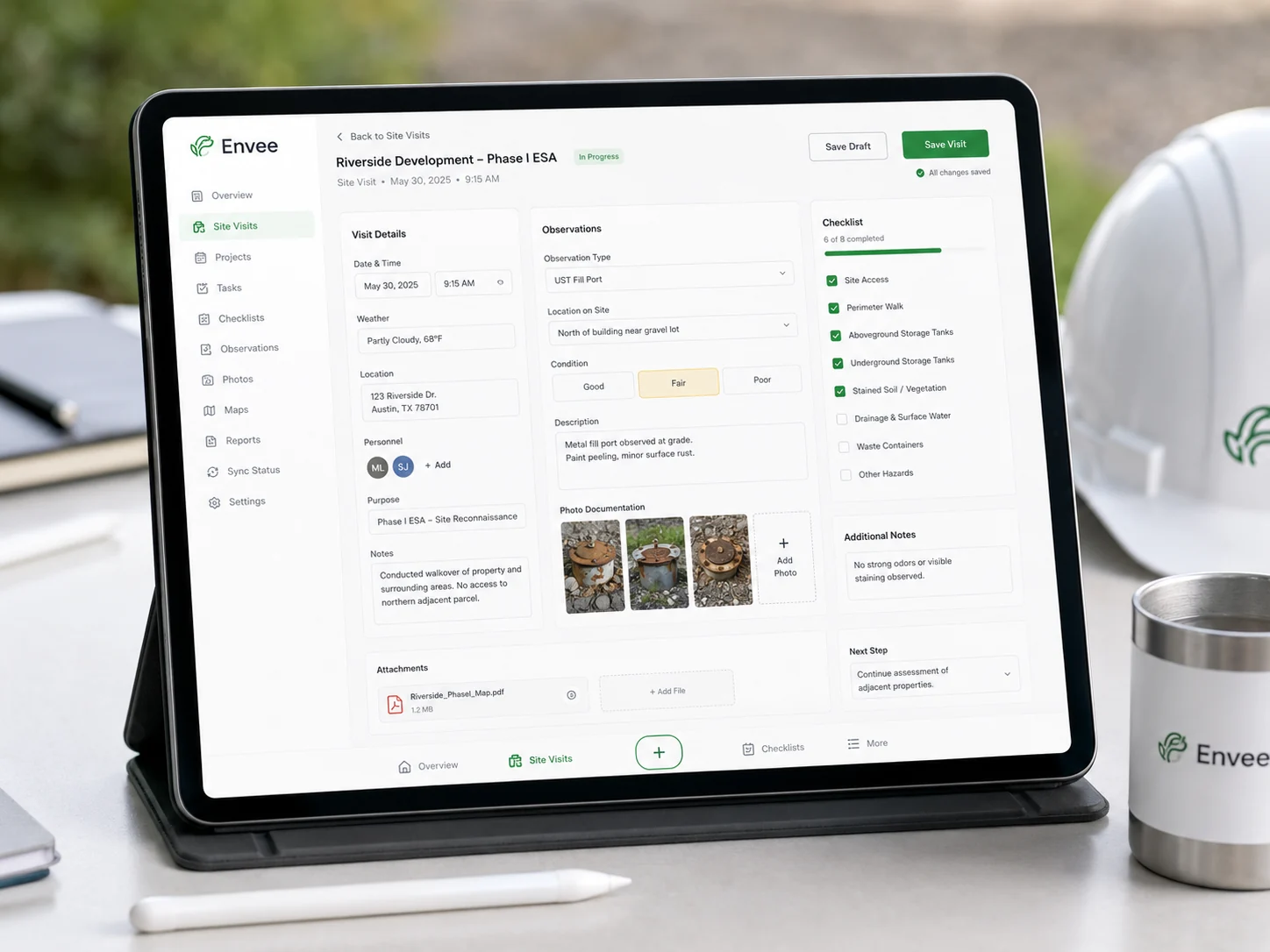
Best for site observations, photos, checklists, areas of concern, and visit summaries.
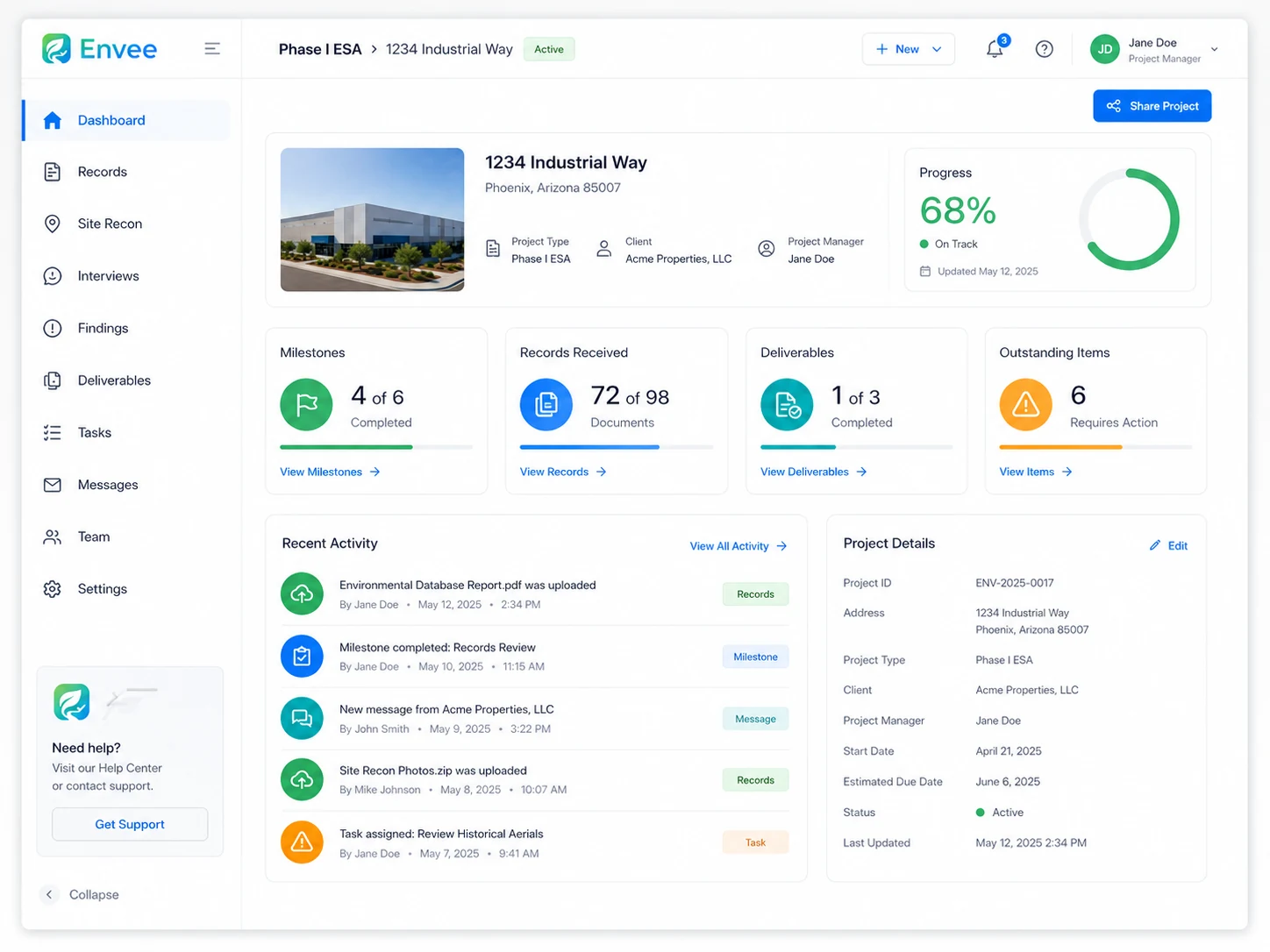
Best for owners and project managers who need a clean view of active work, due dates, files, and deliverables.
Search by address, county, city, or agency type. Generate the request language. Track the status. Store the response. Export a clean summary when the report is ready.
Use tablet and phone friendly forms for site observations, photos, dates, conditions, areas of concern, and internal comments.
Turn request logs, site notes, findings, records, and project metadata into clean document exports your team can review and edit.
Let clients see project status, outstanding items, received records, milestones, and final deliverables without sending a long update email every time.
Before and after
Envee turns scattered project work into one connected operating system for a small environmental team.
EnviroLab results
Sunset Villas Thu 9:00address1000 Example Commerce Dr
project26-DEMO-001
consultantEllen Caldaro
scopePhase I ESA
Download a stronger planning guide built for small environmental consulting firms. It includes workflow scoring, ten automation opportunities, a rollout roadmap, a basic ROI model, and a discovery checklist you can actually use.
Thanks. Your download is starting now, and a copy is on its way to your inbox. Download again
 Envee Guide
A practical planning guide for finding the first internal tool worth building.
No long discovery phase and no platform migration. We start with the one process that is slowing your team down right now, and you see something working inside a month.
We screen share while you walk through the process as you actually do it, mess included.
A plain explanation of what to build first, what to leave alone, and what is not worth building at all.
You see a working version every week, so nothing is a surprise at the end. Your data comes across before launch.
Real use always surfaces things a plan cannot. Those become the next month of changes, and new platform modules arrive as they ship.
Most firms are from first call to working tool in about six weeks.
Every firm works a little differently. Pricing depends on the workflow, users, exports, integrations, and support needs. The point is to start with the smallest useful version, then expand only when it makes sense.
One process reviewed, mapped, and priced. No commitment, no code.
Your firm’s workspace on Envee, with every standard module included as it ships.
One time setup: $500+ Data migration, your report templates, accounts, and training. Scaled to how much comes across, quoted after the audit, charged once.
A tool built for the workflow that is specific to your firm, running inside your Envee workspace.
| What’s included | Audit | Platform | Custom Module |
|---|---|---|---|
| Workflow review and written plan | Included | Included | Included |
| Field checklist generator | Not included | Included | Included |
| Records request tracker | Not included | Included | Included |
| Project dashboard | Not included | Included | Included |
| In app report writer | Not included | On release | On release |
| New modules as they ship | Not included | Included | Included |
| Built for your own process | Not included | Not included | Included |
| Spreadsheet import and cleanup | Reviewed | Self serve | Done for you |
| Your own DOCX and PDF templates | Not included | Standard | Yours |
| User accounts and permissions | Not included | Included | Included |
| Training and handover | Not included | Group session | One to one |
| Hosting, backups, and updates | Not included | Included | Included |
| Full data export, any time | Not included | Included | Included |
| Support response | Not included | 2 business days | Priority |
Most firms start with the free audit, move onto the platform, and add a custom module only once they know exactly what they want. If the standard modules already cover you, we will tell you that and save you the money.
No account managers, no handoffs to a delivery team, no ticket queue. The person who sits in on your workflow review is the person who writes the code and picks up the phone when something breaks.
I started building software for environmental consulting after seeing how much time my mother spent on repetitive tasks. Before this, I worked in product management and game development, helping lead projects used by millions of people. Now I am a Computer Science student building practical tools that help environmental consultants work more efficiently.
Small consulting firms do not need more complicated software. They need tools that remove repeated work, make projects easier to track, and help the team look organized in front of clients. Envee starts with one useful workflow, builds around how your team already works, then improves the system from real use.
Your workspace is yours alone. Data is stored in the United States, backed up daily, and no other firm can see it. Envee staff only access your workspace when you ask us to, for support.
You export everything to CSV or Excel at any time, including on the way out. We keep your workspace available for 30 days after cancellation so nothing is lost in a rush.
No. The first module should improve one workflow, not force your whole company to change at once. Most firms keep their existing files, templates, and habits and let Envee sit around them.
The audit takes about a week. A standard platform setup is live within days. A custom module runs 3 to 6 weeks, and you see a working version every week along the way.
Yes. Spreadsheets import directly, uploaded PDFs stay organized against the project, and exports come out as DOCX and PDF in the formats your clients already expect.
No. Phase I is a strong fit, but the same modules cover records tracking, site visits, compliance support, internal admin, and client status updates.
Small firms usually get the most out of it, because there is no one on staff whose job is chasing status. Pricing is per firm rather than per seat, so a small team is not penalized.
No. A custom module is private to your workspace for 12 months. After that we may generalize the underlying capability into a standard module, and you keep your version either way. We will always tell you up front which side of that line a build falls on.
Small changes are part of your plan. Larger pieces get quoted like any other module. There is no per-request billing and no hourly meter.
Then we say so and you owe nothing. Talking a firm out of software they do not need costs us an afternoon and saves you five figures.
Send a quick note about the process you want to improve. Examples include records requests, project tracking, field notes, report exports, client updates, or file organization.